Locking in a time
Once enough people have painted, someone picks the time. The plan’s organizer can lock it in, and so can the group’s owner and admins.
Lock it in
Section titled “Lock it in”- Open the plan. Under Best times, tap Lock it in on the Best bet, or Pick this one on any of the Runners up.
- Potluck asks Lock in this time? and shows the date. Tap Lock it in.
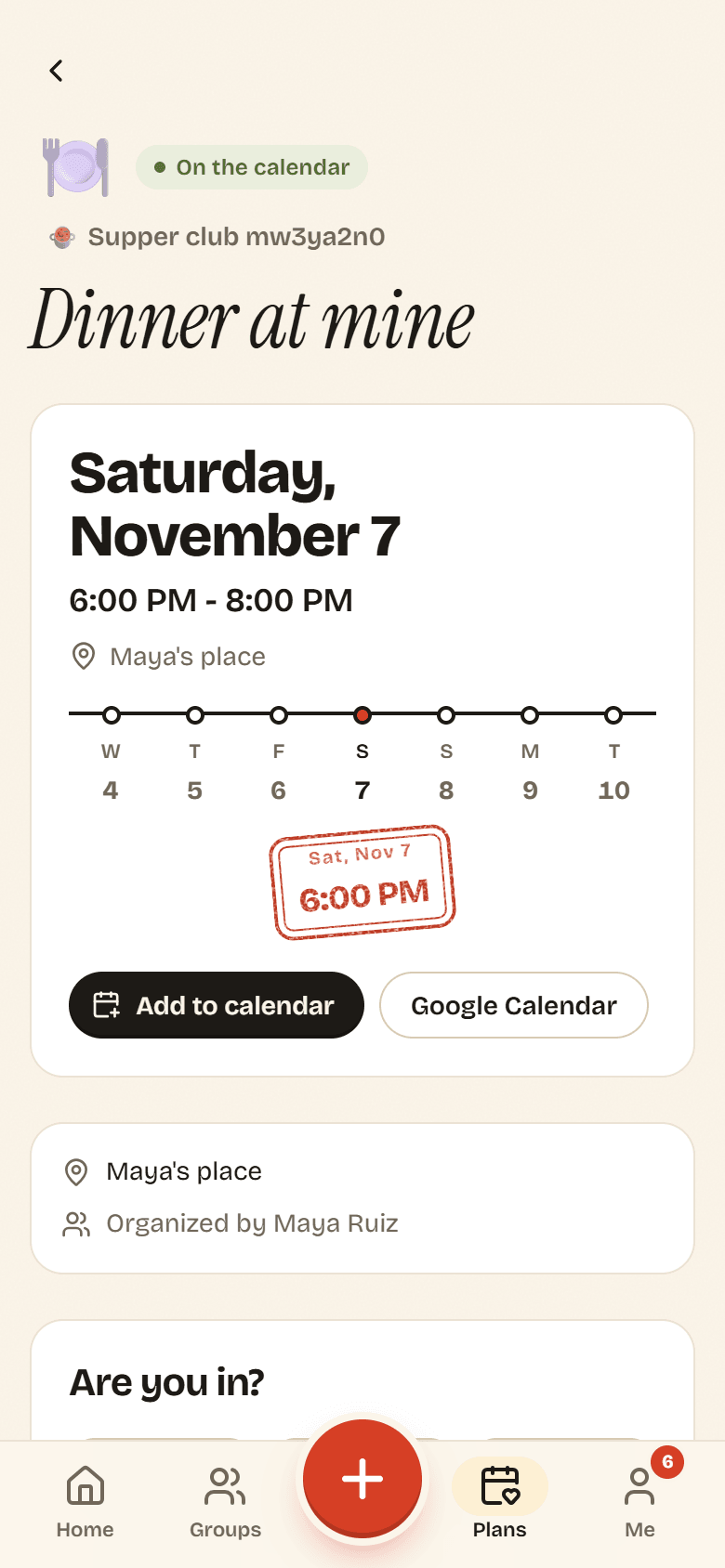
The time is stamped onto the plan and its status changes to On the calendar. Everyone in the group gets an It’s a date notification.
Under Are you in?, tap Going, Maybe or Can’t. You can change your answer any time. Below the buttons, everyone’s answers are grouped into Going, Maybe, Can’t make it and No reply.
If the organizer set an RSVP by date, it shows next to the question. Home also asks Are you in? for plans you have not answered, with quick Can’t and Going buttons.
About a day before the plan starts, people who said Going or Maybe get a Coming up reminder, and people who have not answered get an Are you in? nudge.
Add it to your calendar
Section titled “Add it to your calendar”- Add to calendar downloads a calendar file (.ics) with the title, time, place and a link back to the plan. Open it and your calendar app adds the event. This works with Apple Calendar, Outlook and most others.
- Google Calendar opens Google Calendar in a new tab with the event filled in. Check it and tap Save.
Either way you get a copy. If the plan changes later, the copy does not update.
Split the costs
Section titled “Split the costs”Tap Add an expense for this plan to record the groceries, the tickets or the cab. The expense is linked to the plan, and the plan shows the total under On the tab. See Adding an expense.
Call it off
Section titled “Call it off”- Open the plan and tap Call it off.
- Potluck asks Call off this plan? and warns that everyone will be told. Tap Call it off.
The plan is marked Called off and shows This plan was called off. Everyone in the group gets a Plans changed notification. Owners, admins and the organizer can call off a plan, whether it is still polling or already on the calendar.
After the plan ends, its status changes to Done and dusted and it moves to Been there on the Plans page.